
Check-in is the screen for the door: the people booked for this session, big enough to tap as they walk in.
Tap Check-in. Today’s sessions are under Happening now and Later today.
Tap the session. The door screen opens, full screen.
Tap each person as they arrive — or search for them. Tapped someone by mistake? Undo in the message puts it back.
When everyone’s in, tap Done.
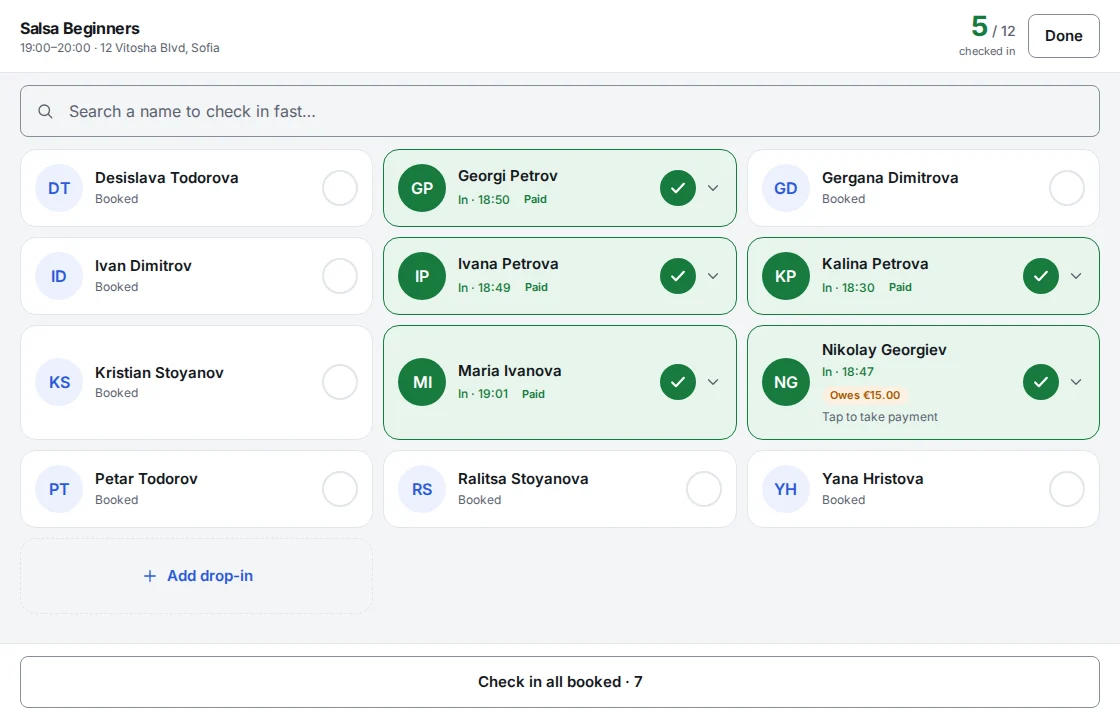
Everyone booked arrived together? Check in all booked at the bottom does them all at once.
Check-in opens shortly before a session starts; you set how early in Settings → General. To fix attendance after a session has ended, open it and use Make a correction.
Shonly’s own words are used here. Your business may have renamed them — a class, a member, a coach — and the steps stay the same.
Related
Still stuck?
Email us — we answer in English and Bulgarian.